
Self-Screen Employment Background Screening
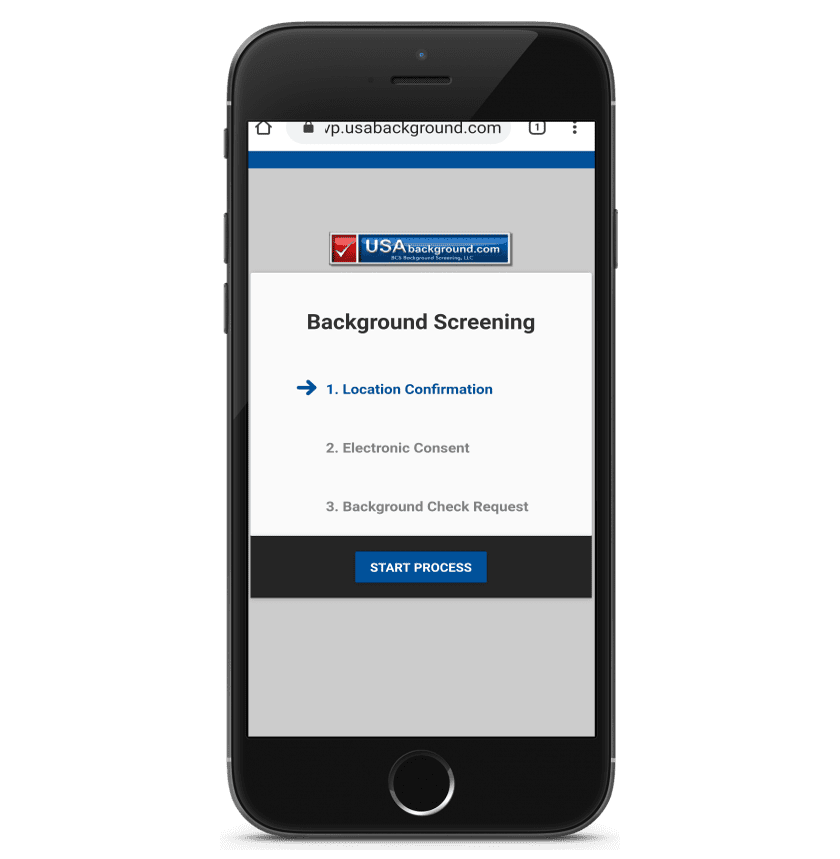
Text or email one secure link. Your applicant completes the FCRA disclosure, signs electronically, and submits their own data from any phone.
- ✓Applicant-initiated
- ✓FCRA-compliant e-signature
- ✓Mobile-first by design
- ✓No software to install
What Is Self-Screen Employment Background Screening?
Self-screen employment background screening is an applicant-initiated background check process. It moves data entry from your desk to the applicant’s phone.
You choose the screening package, and the applicant supplies the personal data it requires. You send one secure link by text or email from inside your account.
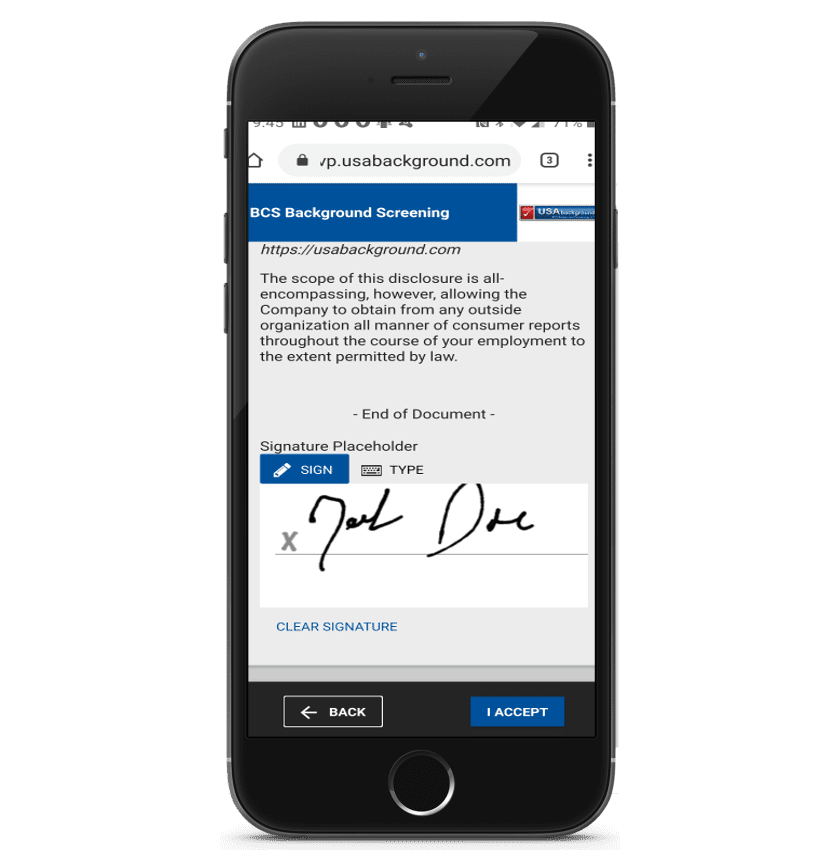
The candidate then reads the FCRA disclosure, signs electronically, and tracks the order inside a secure mobile portal. Consequently, your hiring team stops rekeying Social Security numbers and chasing paper signatures.
Additionally, every entry lands directly in your BCS Background Screening LLC account with a full audit trail. Traditional screening works in reverse. Recruiters collect paper forms, scan them, and key the data manually.
However, that workflow creates risk. Forms go missing, handwriting gets misread, and disclosures arrive out of order. The self-screen model removes those failure points. As a result, your file stays clean, complete, and defensible.
Therefore, you launch the search faster and reduce the typos that delay court research.
What the applicant completes on their phone
- Full legal name, aliases, date of birth, and Social Security number
- Current and previous addresses for county and state jurisdiction routing
- Standalone FCRA disclosure and written authorization
- A Summary of Your Rights Under the Fair Credit Reporting Act
- State-specific notices where the law requires them
- Employment, education, and reference details when your package includes verifications
- Any drug testing or motor vehicle consent your package requires
How Self-Screen Employment Background Screening Works
The workflow takes four steps. Furthermore, each step happens inside one compliant system.
- 1
Order the package
Log in to your account and select the screening package for that job position. Dynamic forms then adjust automatically to the role you chose.
- 2
Send the secure link
Enter the applicant’s mobile number or email address, then send the invitation. The candidate receives a branded, encrypted link within moments.
- 3
Applicant consents and signs
Your candidate reads the standalone disclosure and signs electronically. Validation prompts catch blank fields before submission, so the file arrives complete.
- 4
Searches launch and results post
Our researchers begin immediately, and results post to your secure account. Meanwhile, the applicant can check status and view their own copy.
Watch Self-Screen Employment Background Screening in Action
Seeing the flow beats reading about it. Therefore, watch the applicant experience from link to signature.
iScreenHire Features That Support Mobile Hiring
Every feature below serves one goal. In short, we protect your compliance file while respecting the candidate’s time.
Advanced Electronic Signatures
Applicants sign with a wet-style or typed signature backed by a certificate of authority. Cryptographic sealing then locks the document against later edits.
Compliant Disclosure Agreements
Use the standard FCRA disclosure or upload your own reviewed version. Applicants must accept before the platform lets them continue.
Comprehensive Auditing
Digital certificates, user authentication, signature tracking, and opt-out records build your defense file.
Dynamic Forms
Backend packages adapt the applicant form to each job position. Therefore, candidates answer only the questions their role requires.
Applicant Results Portal
Candidates view, download, and share their completed background check results. This transparency reduces inbound status calls to your HR line.
Additional Information Requests
Missing a date of birth or a reference? Send a targeted request in one click.
Smart Error Handling
Required-field validation and plain-language prompts stop bad data at the source.
Real-Time Status Checking
Applicants watch progress as each search clears, which keeps them engaged.
Built-In Dispute Resolution
Candidates challenge inaccurate information directly through the portal. Consequently, you meet FCRA reinvestigation duties without email ping-pong.
Notification of Rights
The platform delivers the federal summary of rights in clear, readable language.
Client Branding
Add your logo, colors, and styling so the experience feels like your company.
Custom Themes
Choose industry-specific layouts, or request a flexible theme built for your brand.
FCRA Compliance Built Into Every Step
Federal law governs every employment background check you order. Therefore, our self-screen workflow enforces the sequence the Fair Credit Reporting Act requires.
Standalone Disclosure
The disclosure appears on its own screen, separate from your application.
Written Authorization
The applicant signs authorization before any search begins.
Summary of Rights
Candidates receive the federal summary of rights automatically.
State Notices
The forms add state-specific language where local law demands it.
Adverse Action Support
Pre-adverse and adverse action letters stay available inside your account.
Retention and Audit
Signed documents and consent records remain retrievable for your files.
Please note: BCS Background Screening LLC provides tools and information, not legal advice. Consequently, we recommend that your counsel review your disclosure forms and adverse action process.
Self-Screen Employment Background Screening vs. Paper Forms
Many employers still email a PDF and wait. However, the difference in speed and risk is substantial.
| Step | Paper or Emailed PDF | Self-Screen Mobile Process |
|---|---|---|
| Data entry | Staff rekey handwritten forms | Applicant types their own data |
| Signature | Print, sign, scan, return | E-signature with certificate of authority |
| Disclosure delivery | Often bundled with the application | Standalone screen, acceptance required |
| Turnaround start | Begins after manual review | Begins on submission |
| Audit trail | Scattered across inboxes | Centralized and timestamped |
| Candidate status | Phone calls to HR | Self-service status portal |
| Typos and omissions | Discovered late in research | Caught by field validation |
| Storage | File cabinets and local drives | Encrypted account records |
Account Security and Multiple Authentication Factor (MAF)
Background reports contain sensitive consumer data, so access control matters. Therefore, we offer Multiple Authentication Factor (MAF) on all user accounts. MAF adds a second verification step after the password, which blocks stolen-credential logins. Additionally, each user on your account receives individual permissions and activity logging.
- Multiple Authentication Factor (MAF) available on every user login
- Role-based permissions for recruiters, managers, and administrators
- Encrypted transmission of applicant data end to end
- Applicant identifiers masked in the portal view
- Activity logs that record who viewed each report
Who Uses Applicant-Initiated Mobile Screening?
Any employer hiring at volume or at a distance benefits. For example, these teams rely on it daily.
Staffing & Recruiting
High-volume placements need screening that starts the same hour.
Healthcare
Clinical hires require layered checks and tight documentation.
Property Management
Remote leasing teams onboard staff across multiple states.
Transportation & Logistics
Drivers apply from the road, so a phone-first flow wins.
Nonprofits & Volunteers
Volunteer coordinators screen applicants they rarely meet in person.
Financial Services
Regulated employers need watchlist checks and clean audit records.
Build the Screening Package Behind Your Link
The mobile link is the front door. Behind it, you choose the searches that fit the role.
- Nationwide background check with SSN trace
- SSN trace and past address history
- County criminal court searches
- Federal criminal district searches
- Statewide and multi-jurisdictional criminal searches
- Healthcare sanctions and exclusion screening
- Full search menu and pricing
Next, pair the package with your job position so dynamic forms collect only what you need.
Start Self-Screen Employment Background Screening Today
Opening an account takes minutes, and there is no software to install. Afterward, you can send your first applicant link the same day.
Self-Screen Employment Background Screening FAQs
What is self-screen employment background screening?
It is an applicant-initiated background check. You order the package. The applicant then enters their own data, reads the FCRA disclosure, and signs electronically on any phone.
Does the applicant pay for the background check?
No. The employer holds the account and pays for the screening. The applicant only completes the secure form and consent.
Is a mobile e-signature FCRA compliant?
Yes. Electronic signatures satisfy the FCRA and the federal E-SIGN Act when the process captures clear consent. Every iScreenHire signature carries a certificate of authority and an audit record.
Can I use my own disclosure and authorization forms?
Yes. You may use our standard FCRA disclosure, or upload a custom version that your attorney approved.
How does the applicant receive the link?
You send it by text message or email from inside your account. The link opens a secure, branded form on any modern device.
Can applicants see their own results?
Yes. The results portal lets candidates view, download, and share their completed report, and dispute anything they believe is inaccurate.
What if the applicant leaves a field blank?
Validation blocks submission and prompts the applicant. Additionally, you can send a follow-up request for a specific missing item later.
Do you offer multi-factor login security?
Yes. We offer Multiple Authentication Factor (MAF) on all user accounts, which adds a second verification step after the password.
How long does a self-screen background check take?
Timing depends on the searches you select. Database searches often return the same day, while county court research can take longer in manual-access jurisdictions.
Do I still need to run adverse action if I decline a candidate?
Yes. The FCRA requires a pre-adverse action notice, a report copy, and the summary of rights. A final adverse action notice follows. Our account tools support that sequence.